Advanced 0: User Login
一、如何让用户登录?
💡
I recommend大家 from using Supabase 方案 begin.
我推荐新手从 Supabase 方案开始,它可以省去我们很多麻烦.
Its upper limit is also high enough, in the excellent independent developers of making money, there are friends who have already earned more than 10 USD per month and are still using Supabase.
Besides Supabase aside, here I also introduce some other schemes I have used, each with its pros and cons, for reference by students with more energy.
1.1 Newbie recommended scheme: Supabase
URL:
1.
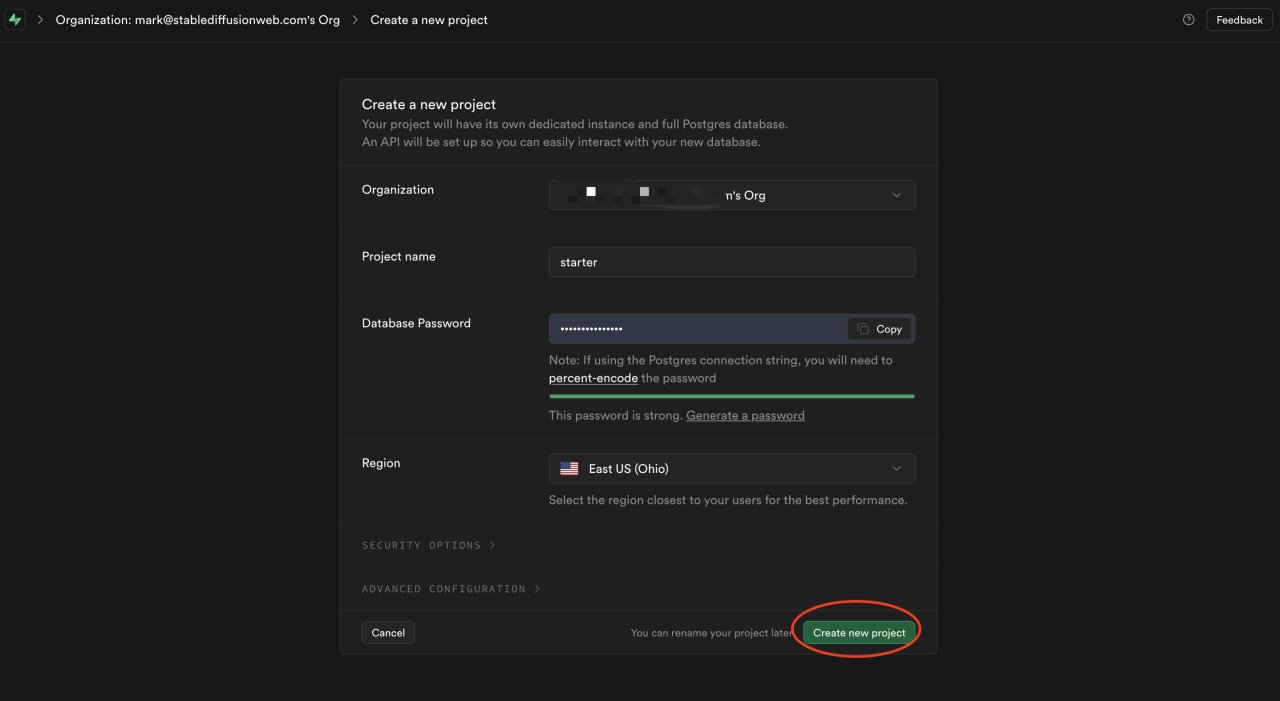
Create project
2.
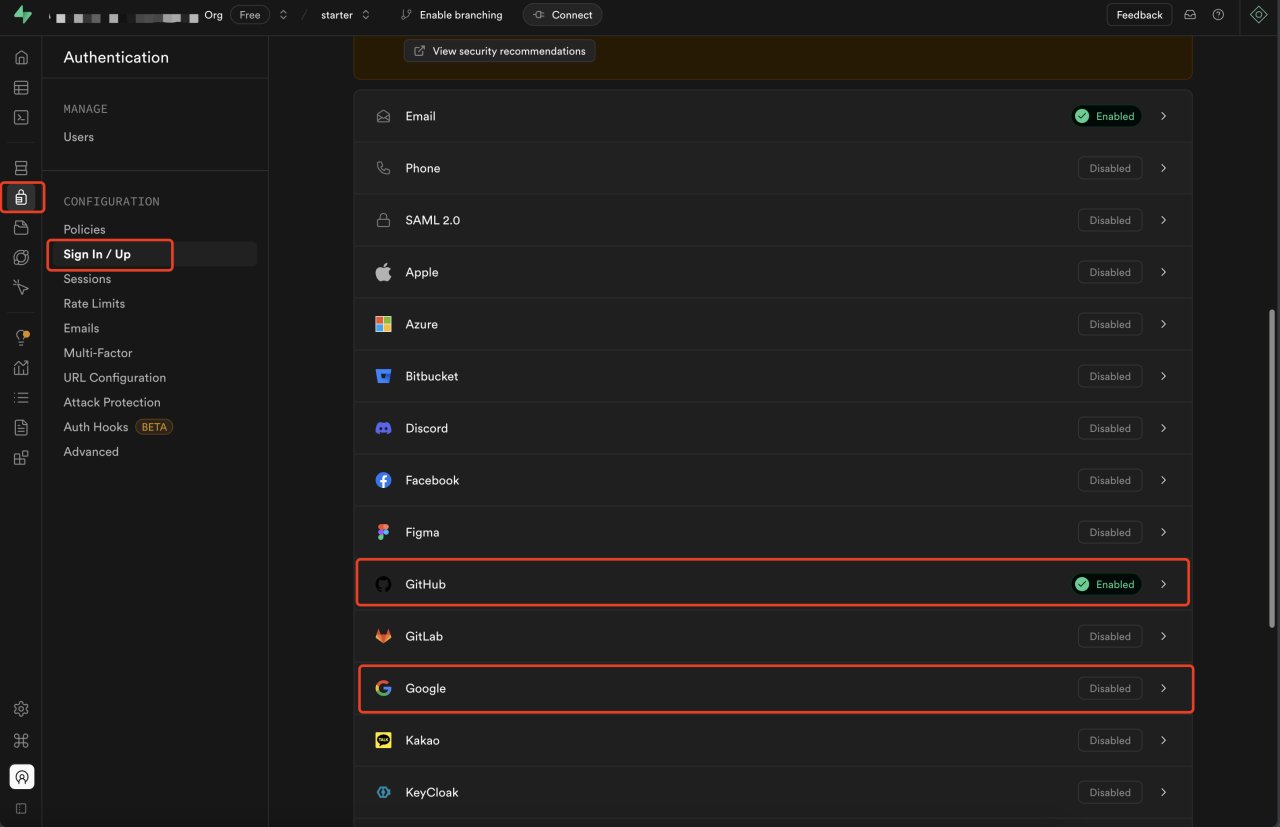
Open GitHub login or Google login (or other social logins you want to integrate)
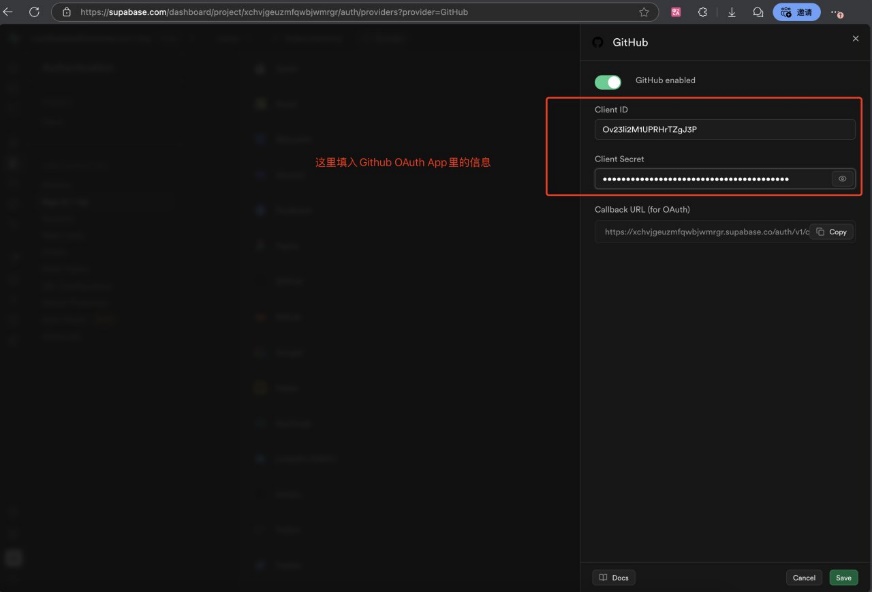
Generally I only open Google account login and GitHub login. You can enable the switch in Supabase as shown in the figure below.
We will use "GitHub account login" as an example. Please open GitHub login in the Supabase backend, then refer to this document, https://supabase.com/docs/guides/auth/social-login/auth-GitHub
The other social login methods are similar. (More than 90% of SaaS will open Google account login function, you can research it later)
Log in to Supabase website Supabase.com
Select the 【Sign In/Up】 in the 【Authentication】 directory
Configure Google and GitHub login
First obtain Google Client IDs
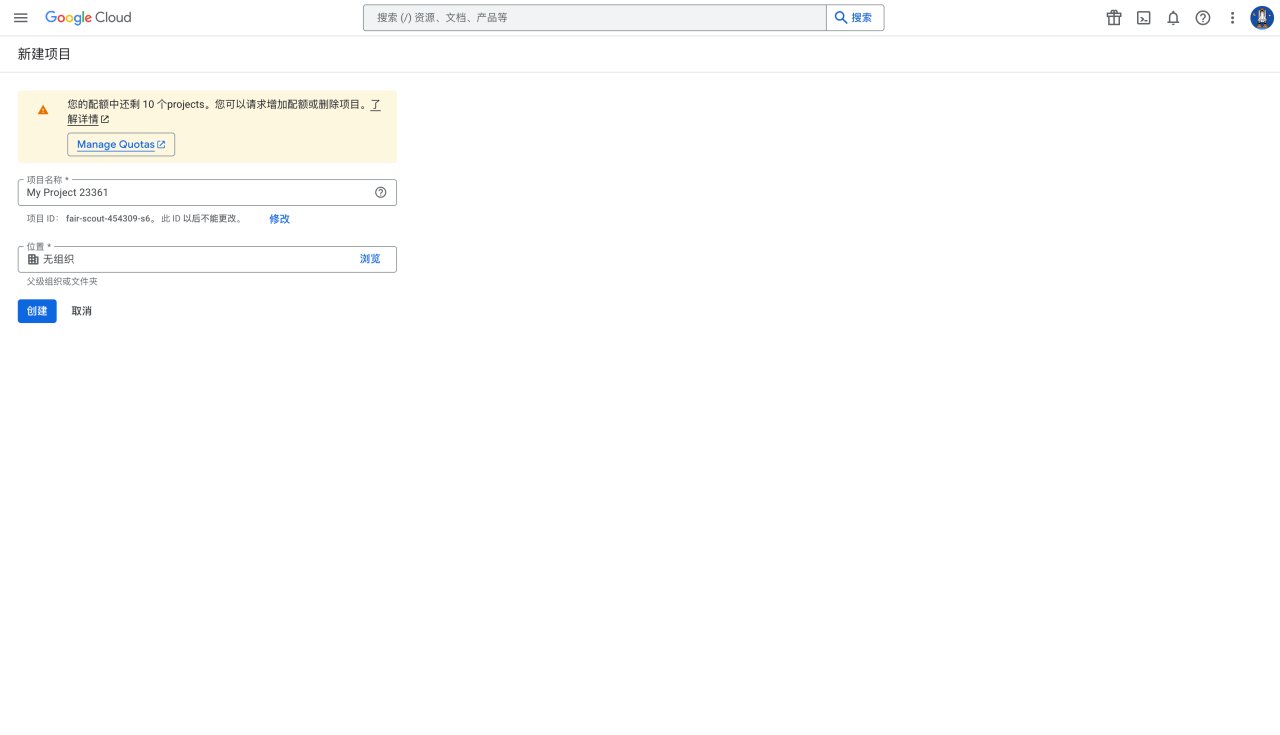
Enter Google Developer Console, click "New Project"
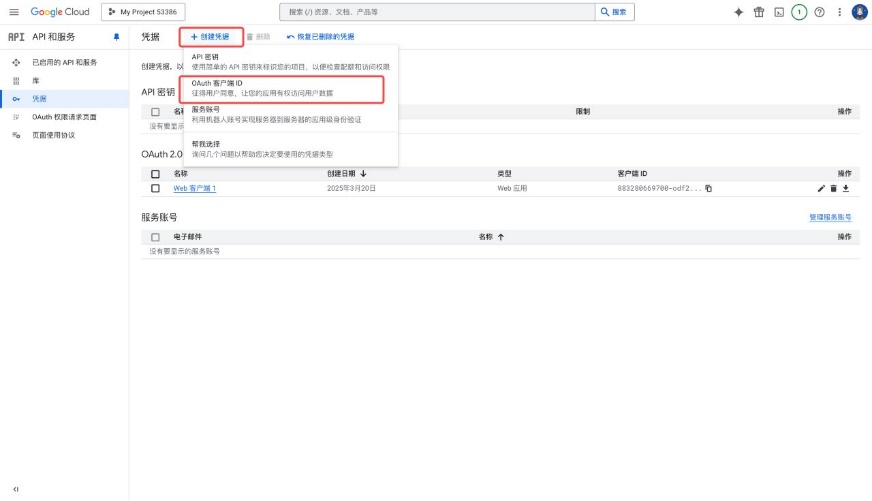
【Credentials】-【Create Credentials】-click【OAuth client ID】
Click create, you will get the ID
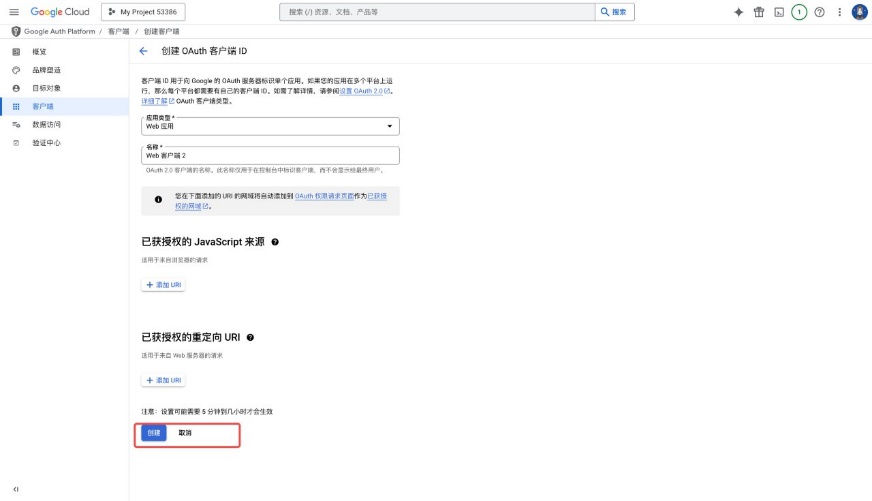
Fill in OAuth client ID and key, complete Google login configuration
Copy the link in 【Callback URL (for OAuth)】
Open 【GitHub】, click the upper right corner avatar-select【setting】-click【Developer Settings】-select【OAuth Apps】
Create a new project, you will reach the screenshot page
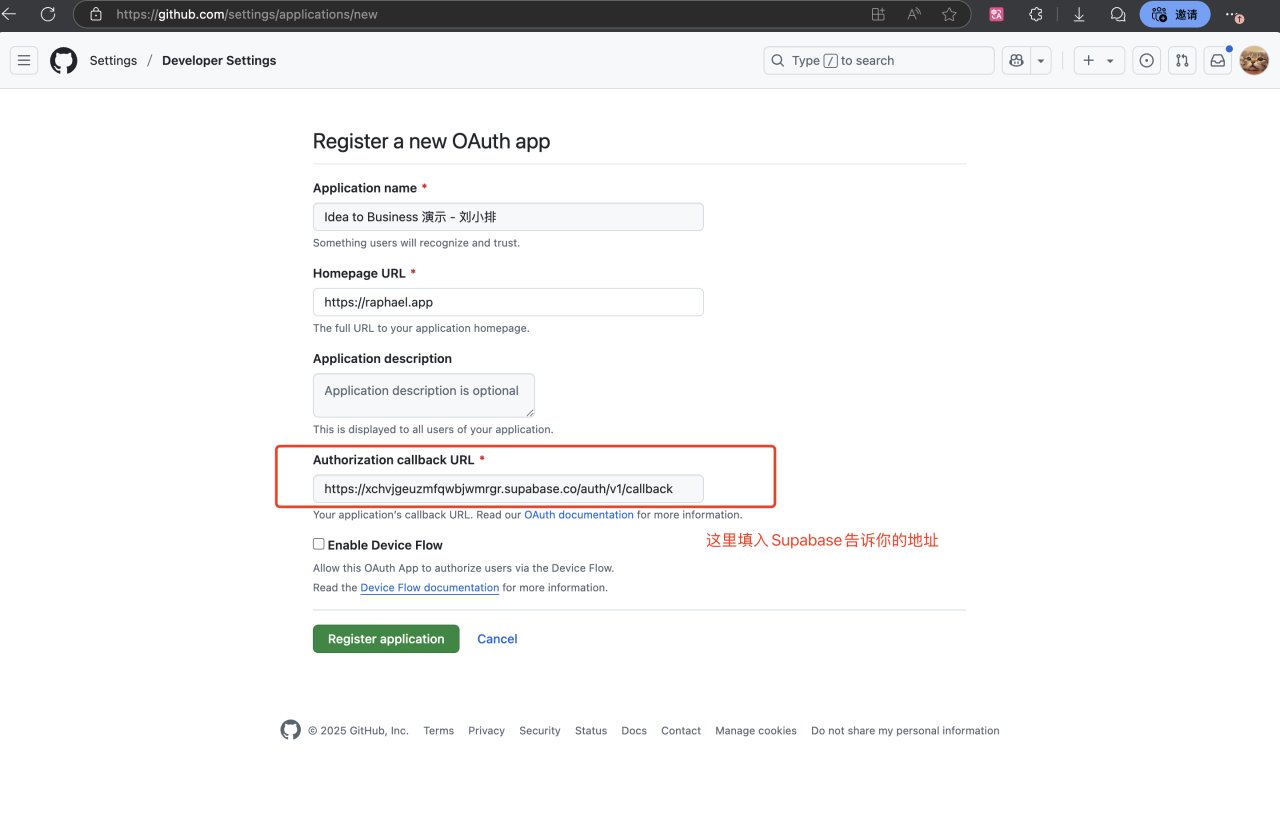
After GitHub configuration is completed, fill in the Client ID in Supabase
Let Cursor add Supabase login in the existing project, basically it can be done in one breath. (If your Cursor does not do it in one breath, do not be anxious, feed the error message to it, let it modify).
Note: It is recommended to tell Cursor, "Supabase official recommends using @Supabase/ssr package for server-side authentication, do not write it as client authentication"。(I did not show this in the screenshot, but it is recommended that you add this sentence.)
Here, we demonstrate letting Cursor do the "use GitHub account login" function for us.
However, you need to read Cursor feedback carefully, some key configurations need us to do it ourselves.

Cursor asks me to do these configurations myself, I do them one by one

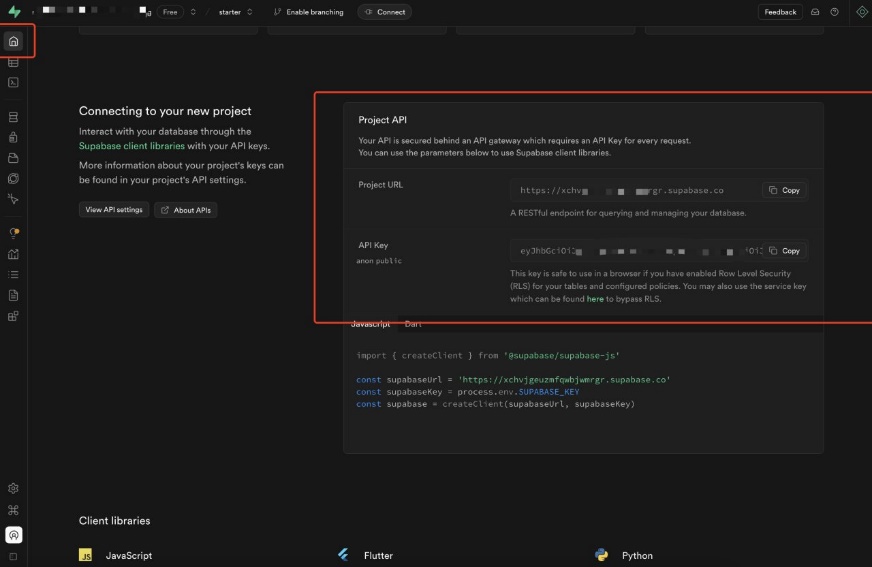
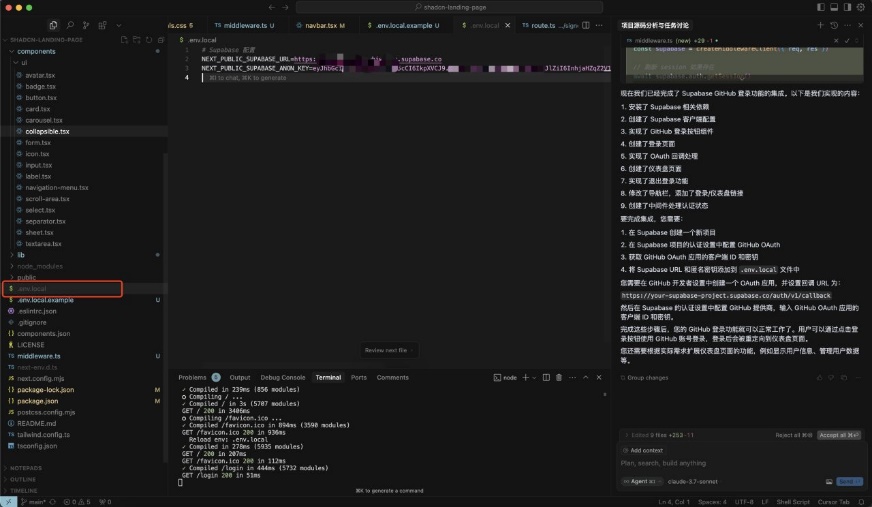
After configuration is completed, use npm run dev to run the project, it is already done
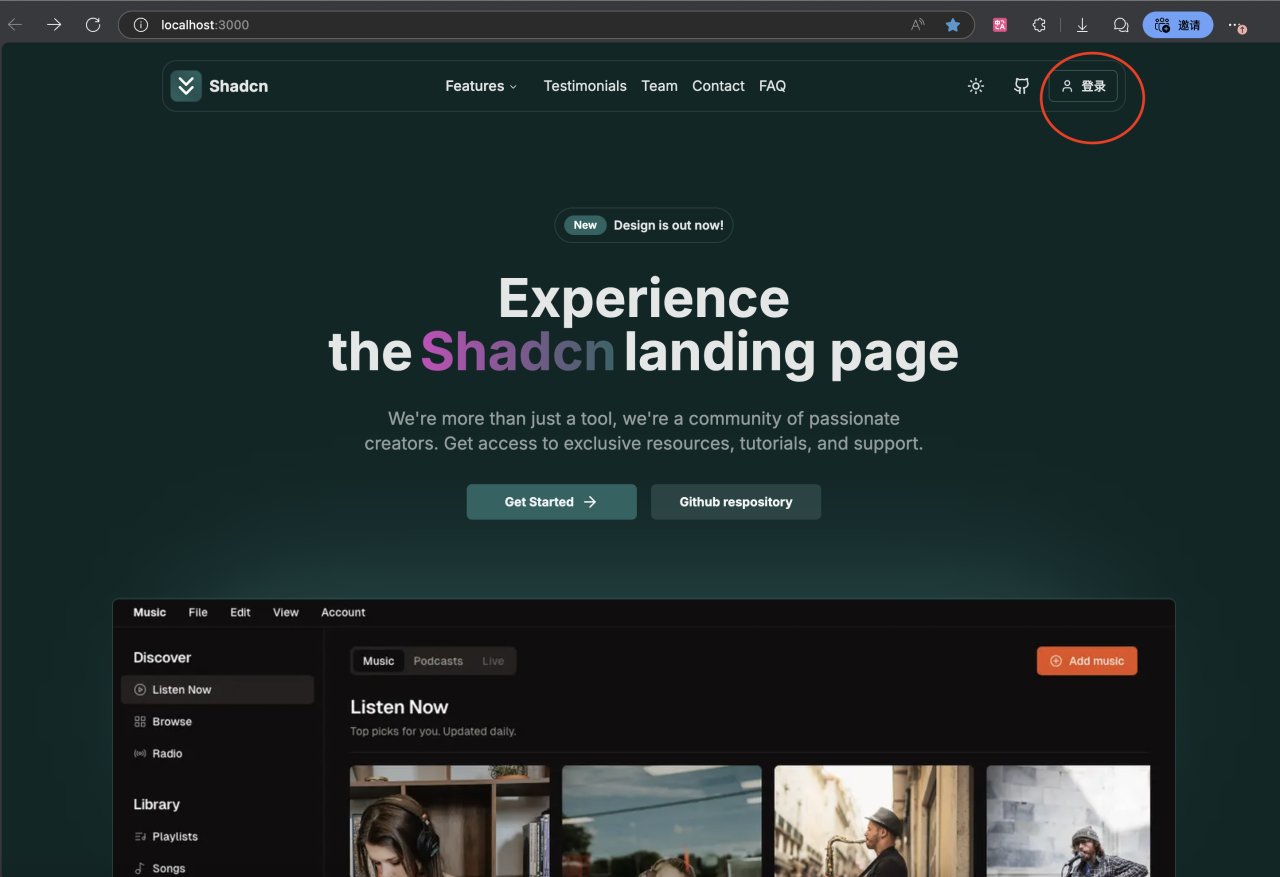
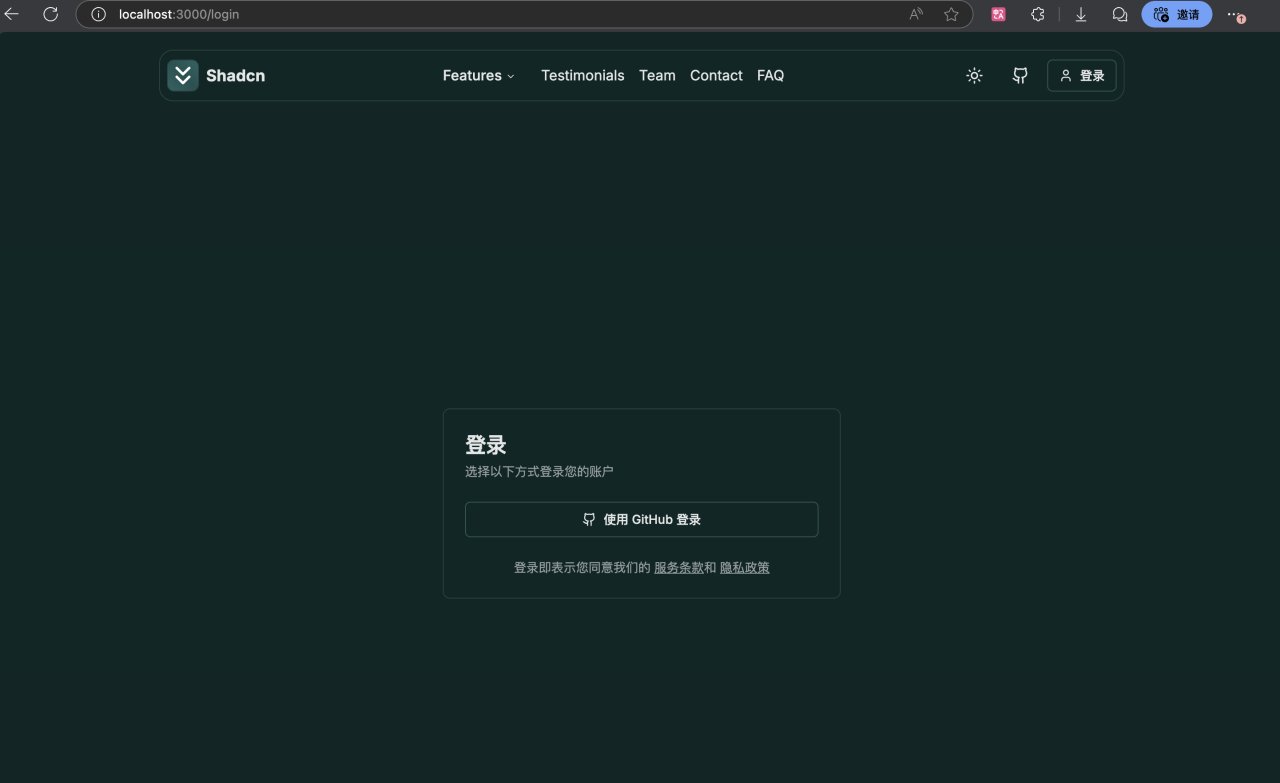
After the user logs in successfully, it will jump to dashboard (Cursor already told us earlier)
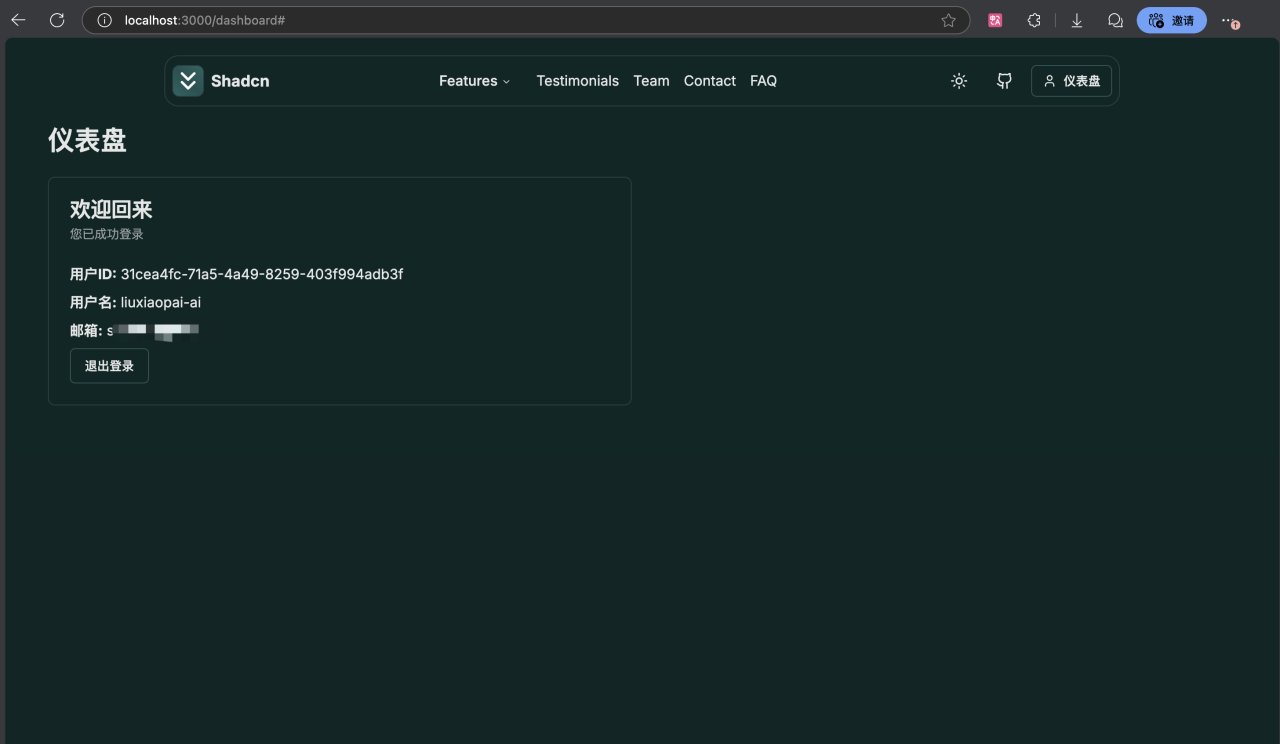
When the user logs in with his GitHub account, we can see this user's record in the database of Supabase backend
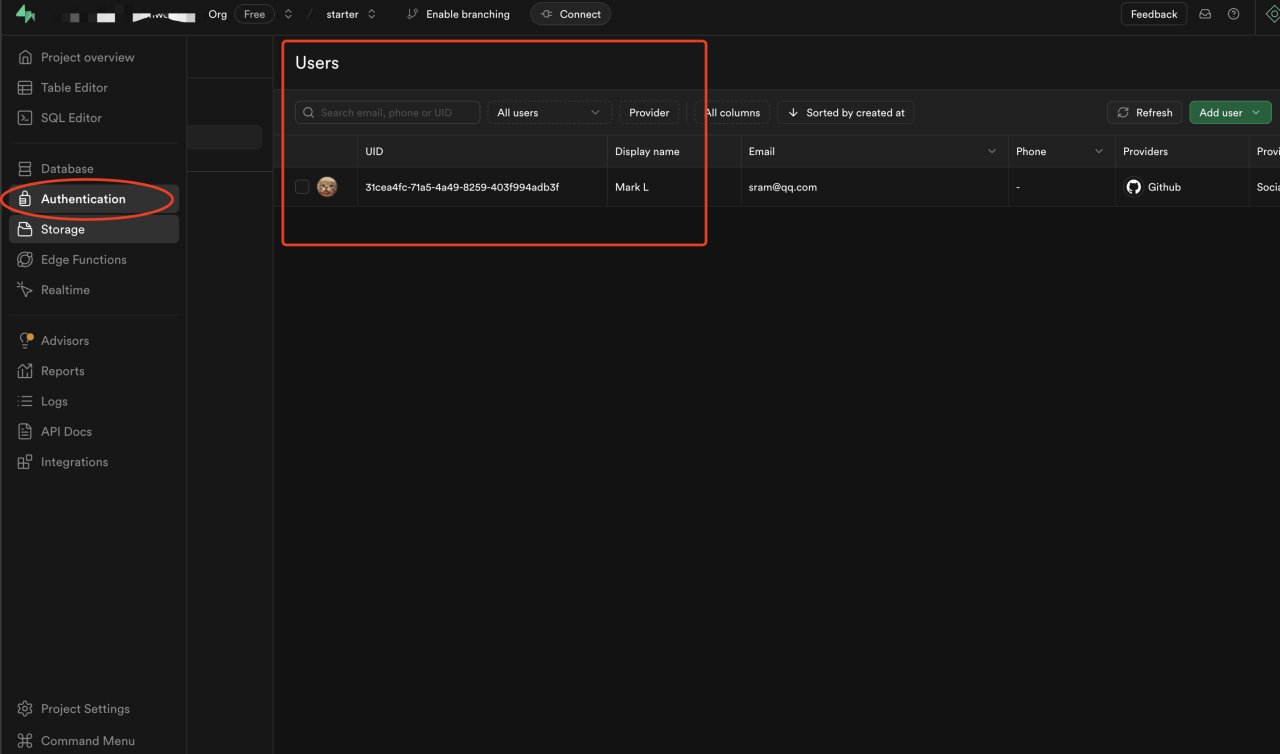
The continuous recording is as follows, below is the video
 7032_1742210099_raw.mp4【Online play】

The same method, open Google login again
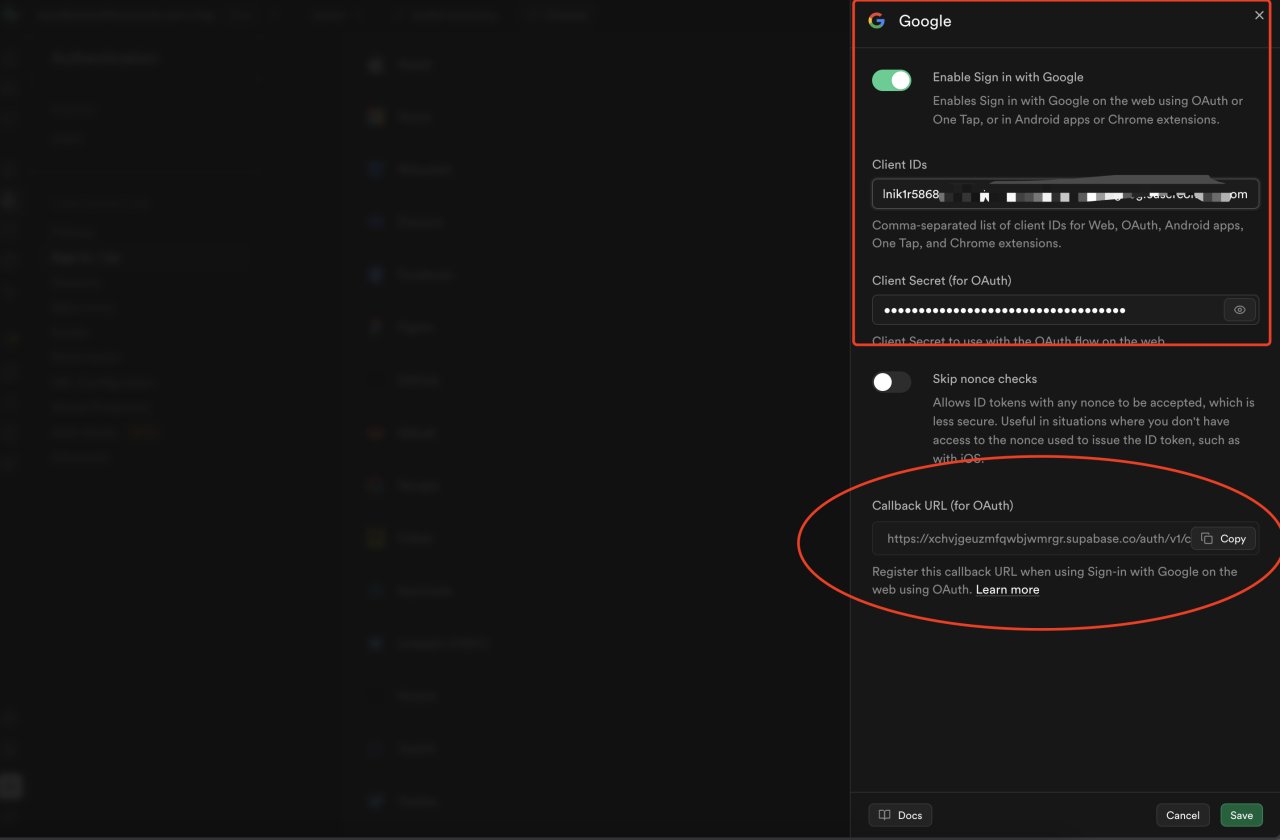
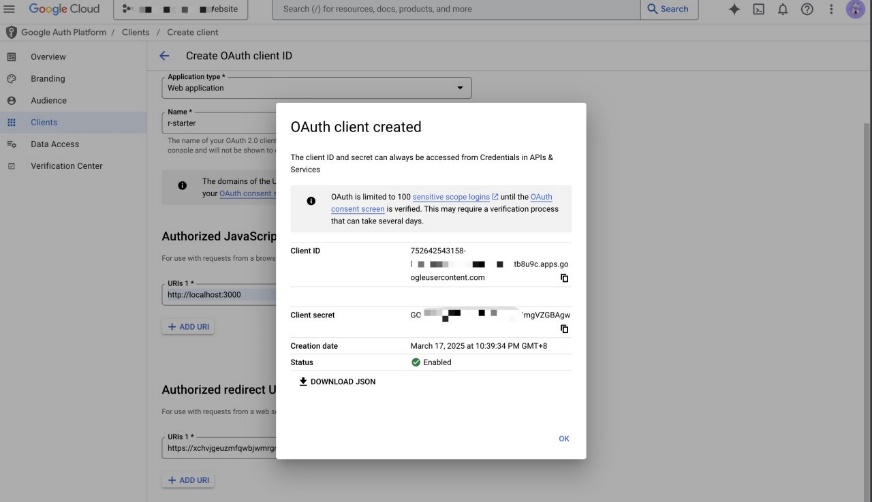

After adding Google login and GitHub login, the continuous effect is approximately as follows, below is the video. (The network speed is a bit slow, so it is stuck for 5 seconds after clicking login. After going online to the overseas server, it will not be stuck)
20250317225807_rec_.mp4【Online play】
3.
About email login?
Email login is enabled by default in Supabase.
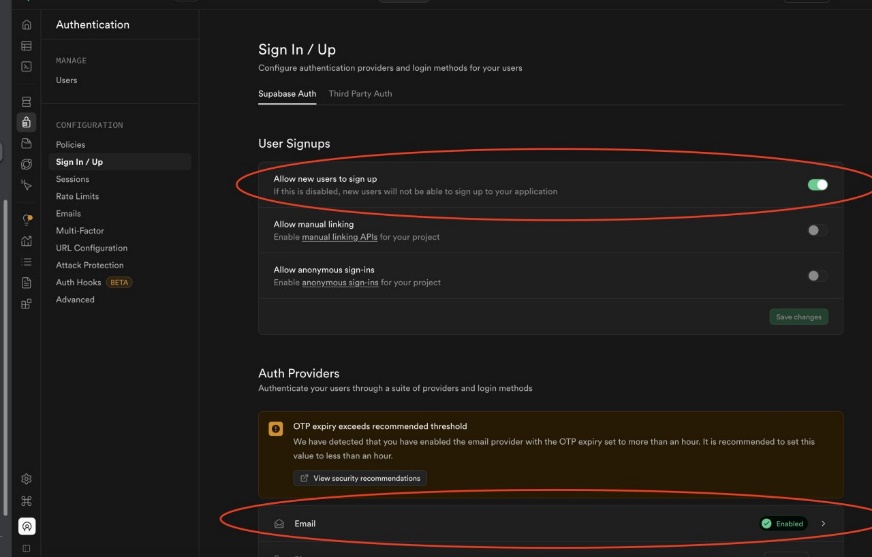
I recommend: do not enable email registration and login at the beginning of SaaS. There are two reasons
If email login is enabled, you need to do a lot of extra pages and functions such as user registration, password reset, password modification, user profile modification, sending activation email, etc., too troublesome. At the beginning there are few users, it is unnecessary, as long as Google login, most overseas users can already log in.
If email login is enabled, the free quota we provide is easy to be brushed. Because there are many services providing temporary email. If we provide "new user free xxx credits", it will be used by people using infinite email addresses for薅 wool.
I usually determine that a product is profitable before adding the email login function.
You can think like this: if email login is provided, your product will increase 10%of revenue; but for the initial stage, this 10%revenue corresponds to a relatively large amount of work, if the initial part of this work is invested in more important things, it will not only increase revenue 10%
If you want to do email login, the operation method is similar to before. However, email login involves more functions and pages, Cursor is difficult to "do it in one breath", often need you and Cursor to exchange several rounds, and adjust some page styles.

1.2 Newbie optional scheme: Clerk
Clerk is a complete authentication and user management solution designed for modern Web applications, with very good integration with the Next.JS framework.
Clerk official website is: https://clerk.com/
Main features
Complete authentication system (login, registration, password reset, etc.)
Social login (Google, GitHub, Twitter, etc.)
User management and profile
Multi-factor authentication
Organization and role management
Out-of-the-box UI components
This is the demo provided by Clerk official, you can go in and click Sign In, try it yourself
https://clerk-nextJS-app-router.vercel.app/
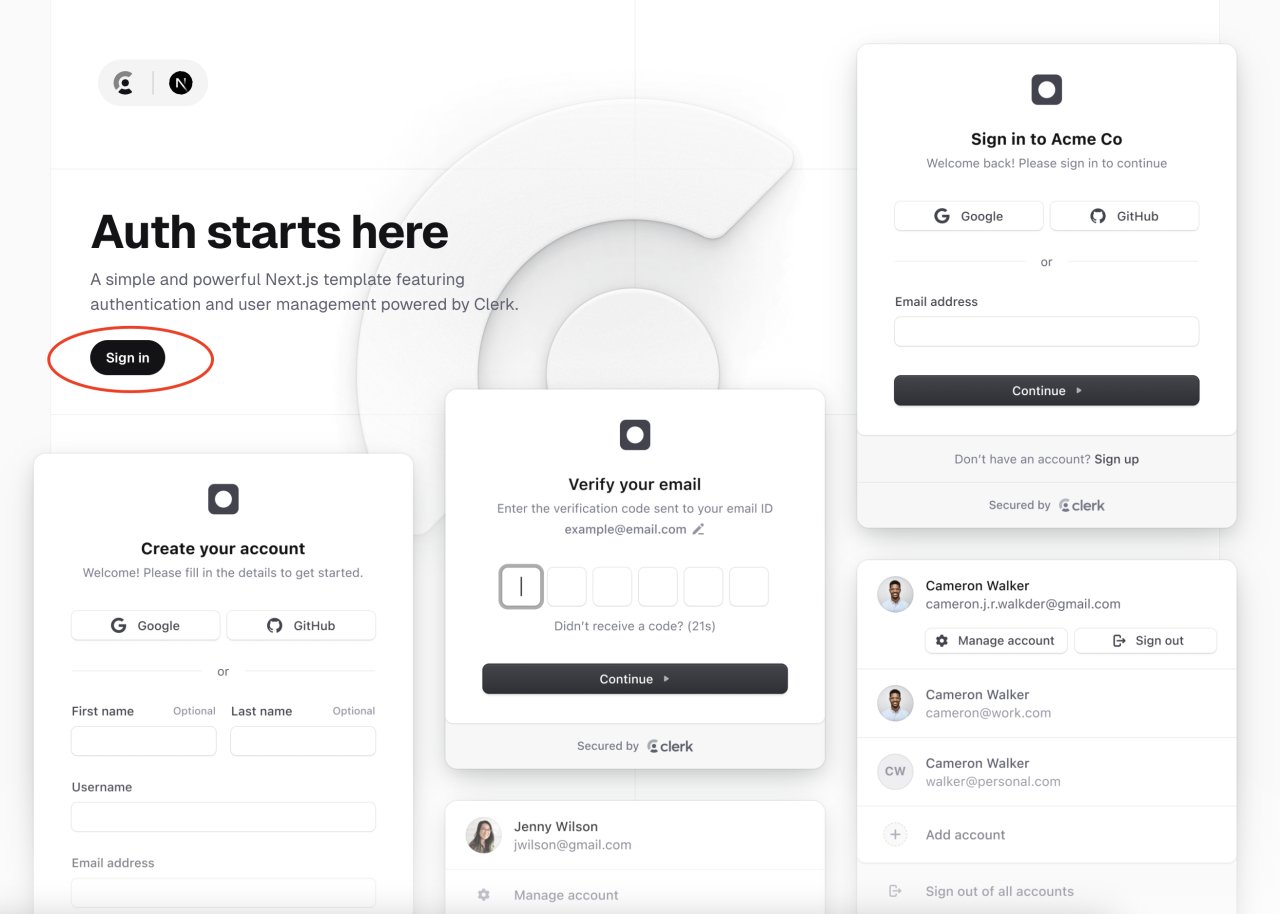
If it is only from the "login" function, I think Clerk is more convenient than Supabase to use. Why do I recommend Supabse more?
Because Supabase not only has login, but also a whole set of backend services that developers need, while Clerk almost only has login-related functions.
You can follow Clerk official documentation, do it once, and you have learned
https://clerk.com/docs/quickstarts/nextJS
1.3 Other mature schemes: BetterAuth, NextAuth, etc.
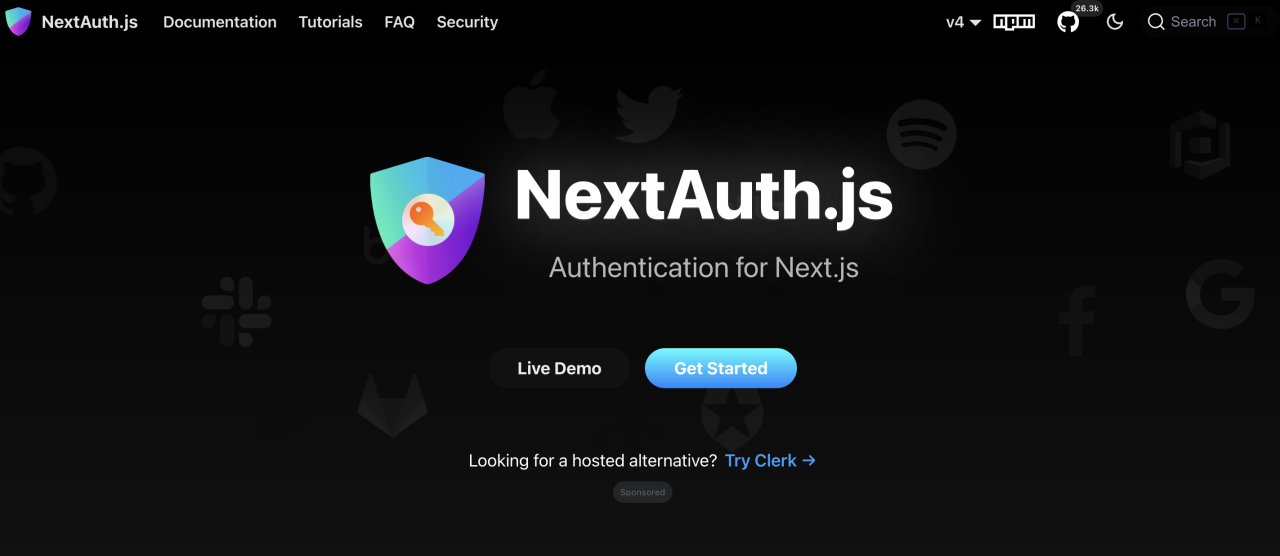
NextAuth.JS (now also called Auth.JS), I believe you can see from the name that NextAuth.JS is one of the most popular authentication solutions for Next.JS applications. It provides a simple but powerful authentication system, supporting multiple authentication methods.
Official website: https://next-auth.JS.org/
Main features
Particularly friendly to NextJS
Support multiple authentication providers (OAuth, email/password, magic links, etc.)
Session management
JWT or database session
Support multiple database adapters
Open source and active community
BetterAuth is a newcomer, I started using it just recently (after January 2025).
Official website is here https://www.better-auth.com/
Main features:
Framework agnostic: compatible with multiple frameworks.
Elegant design.
Multi-tenant support: provides member, organization, team, and invitation functions, supports access control in multi-tenant environments, meeting complex business needs.
Plugin ecosystem: has a rich set of official plugins and community-created plugins, enhancing application functionality and improving development experience.
Although Better-Auth is relatively new, developers have given high praise to Better Auth , calling it the "best authentication experience" and praising its full-type security and simple API design.
Finally, it is worth mentioning that Raphael AI ( https://raphael.app ) is a website done after January 2025, at that time I tried it out for the first time, using Better-Auth login.